This is a dichotomous key to identify microarthropods to small groupings of similar-looking organisms. In most cases these groupings have a narrow taxonomic range. However, there are a few cases where our groupings may include species from a few taxonomic groups. This artificial clustering is particularly an issue for the very small mites, which we refer to as mini mites. These mites often lack features that are useful in identification, either because they are undeveloped (i.e. larval forms) or because their features are so small that they are difficult to resolve with a stereo microscope. The goal of our lab group is typically to distinguish that we have two different species, rather than to determine the precise identity of the species. Consult the resources listed in the links page for guidance in performing more specific identifications.
This key was developed using keys in Krantz and Walter's Acarology (2009) and Moldenke and Fichter's Invertebrates of the H.J. Andrews Experimental Forest, Western Cascade Mountains, Oregon: IV. The Oribatid Mites (Acari: Cryptostigmata) (1988) as a point of departure. Couplets were modified to be accessible to non-experts and to facilitate identification under a dissection microscope.
| 1a | More than 4 pairs of legs | Lots of Legs | |
| 1b | 4 pairs of legs or fewer | 2 | |
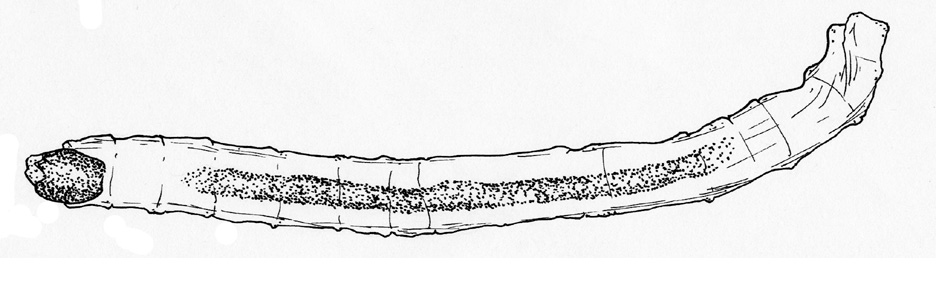
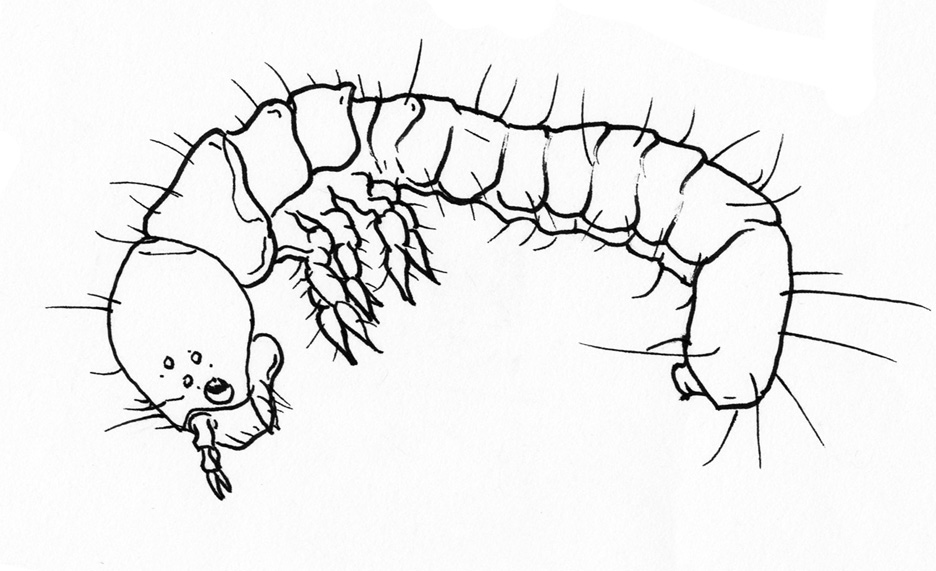
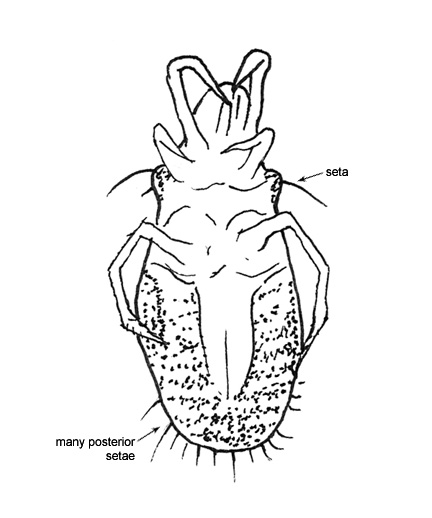
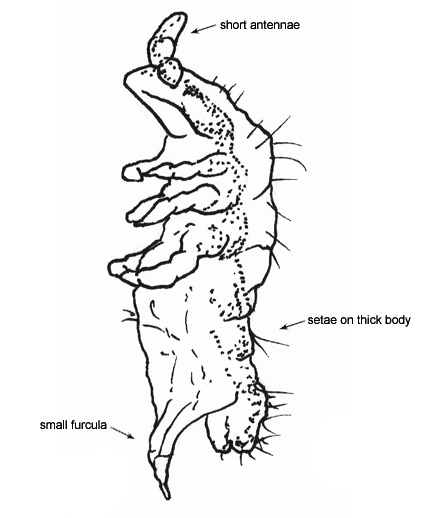
| 2a | Body is long and thin (vermiform), often with many setae, dorsal plates, small legs, and mouthparts at the anterior end that are darker in coloration than the rest of the body (Fig. 1) | Insect Larvae | |
| 2b | Body is not vermiform in shape | 3 | |
Fig. 1. Insect larvae with a vermiform body shape | |||
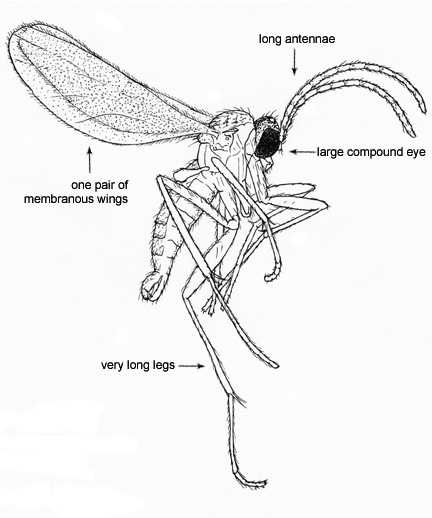
| 3a | Antennae extending from the head (Fig. 2) and 3 pairs of legs. Eyes often present | 21 (Adult Insects and Collembola) | |
| 3b | No antennae. Typically 4 pairs of legs but some may have 3 pairs of legs or the number of legs may be difficult to distinguish | 4 (Arachnids) | |
Fig. 2. Antennae on an insect (left) and a collembolan (right) | |||
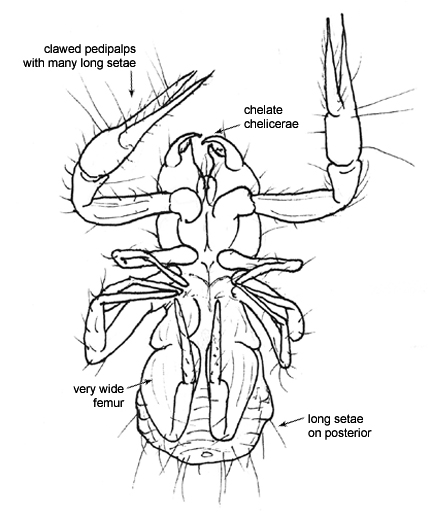
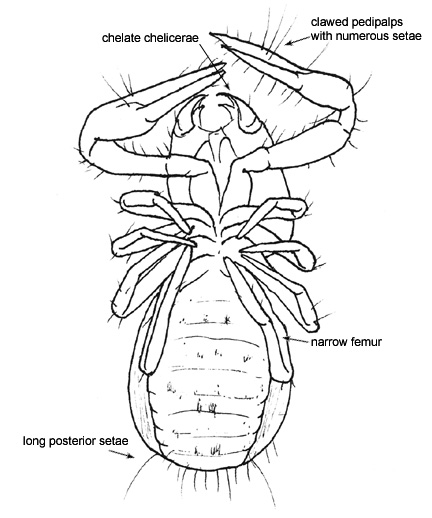
| 4a | Palpi are claw shaped (Fig. 3) such that the specimen appears like a scorpion with no tail. Typically 4 pairs of legs | Pseudoscorpions | |
| 4b | No claw like appendages present | 5 | |
Fig. 3. Pseudoscorpion body form with detail on chelate palpi | |||
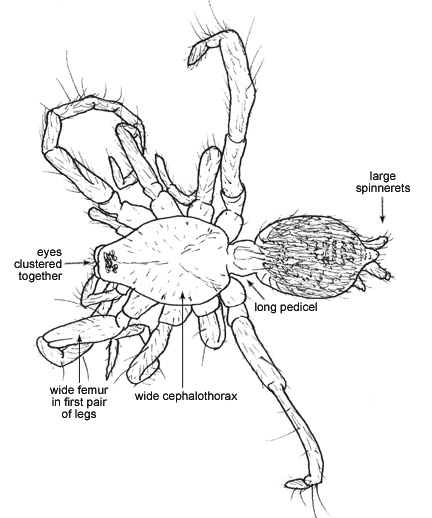
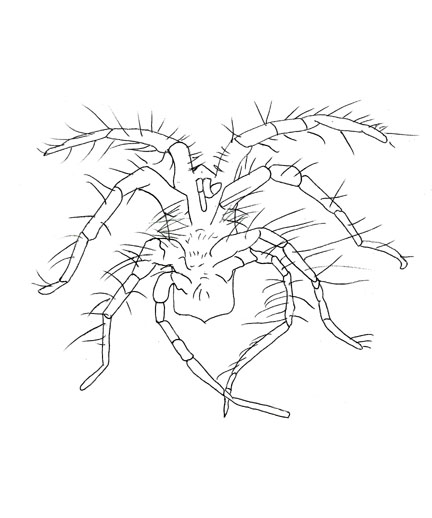
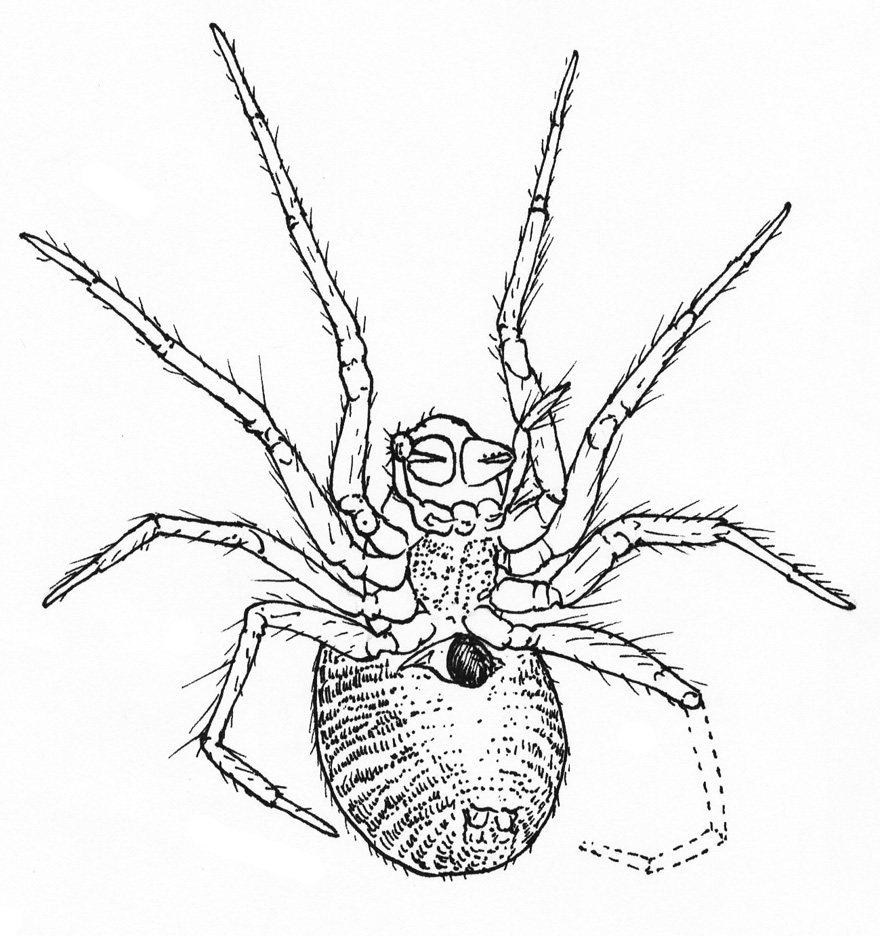
| 5a | Two distinct body segments (the cephalothorax and the abdomen) separated by a narrow pedicel. 1 to 4 pairs of spinnerets located on the ventral posterior (Fig. 4). 4 pairs of long legs | 30 (Spiders) | |
| 5b | Distinction between body segments is not obvious. Spinnerets absent | 6 | |
Fig. 4. Spider body form with detail on spinnerets | |||
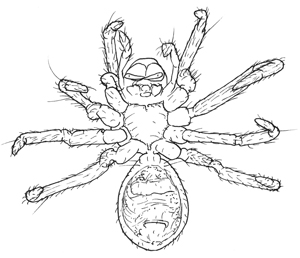
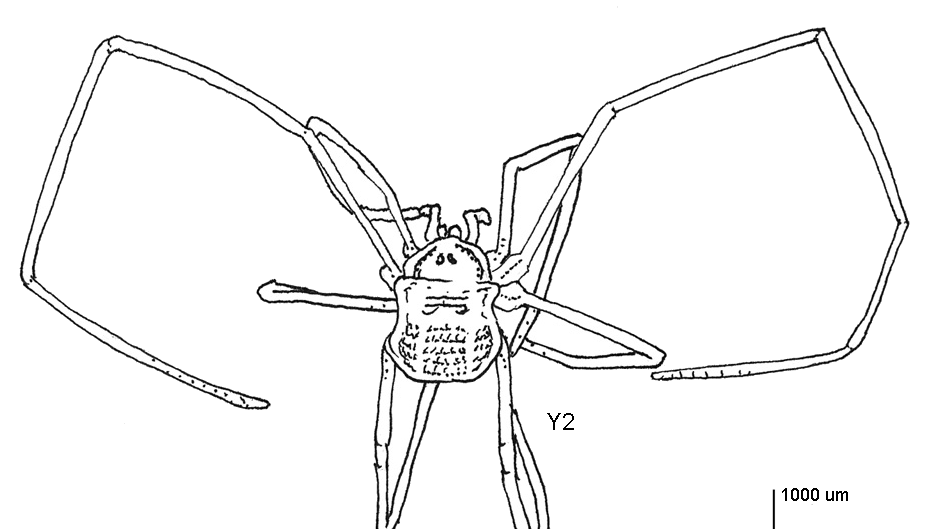
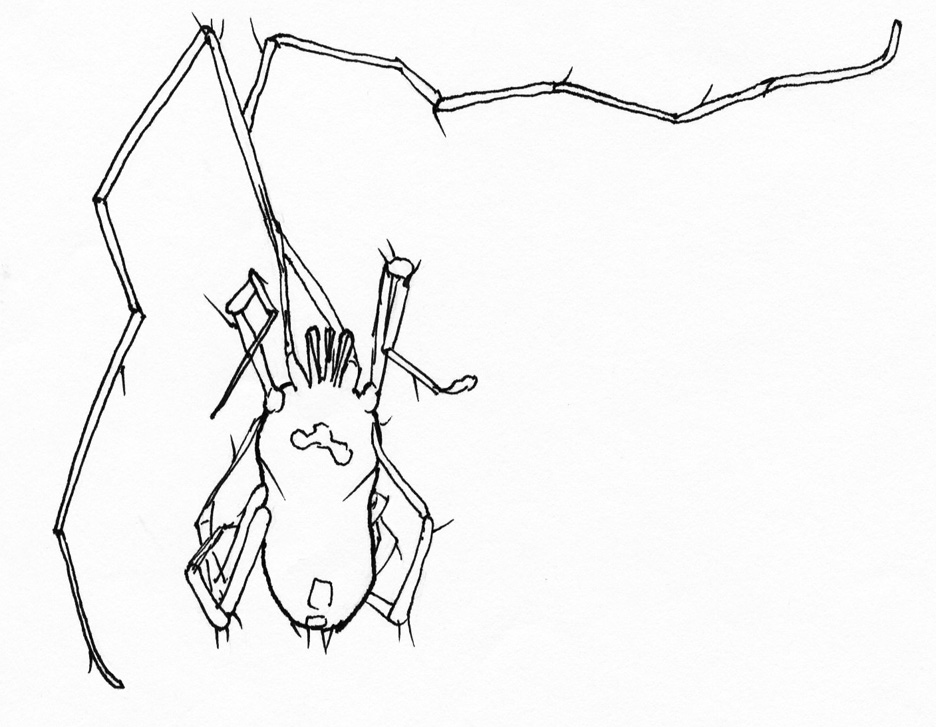
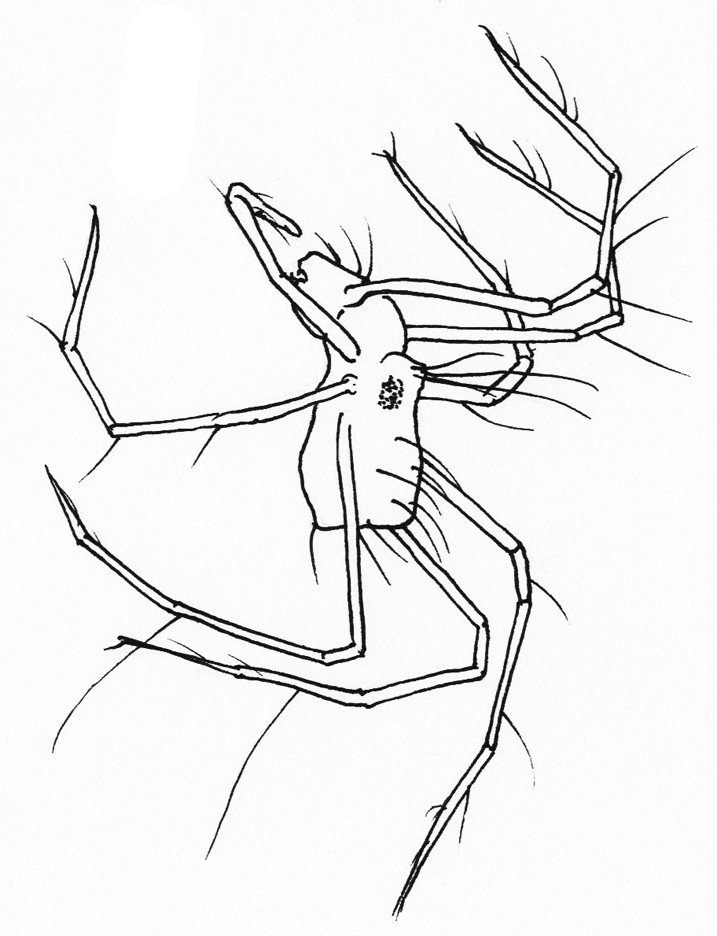
| 6a | 4 pairs of legs that are very long and thin compared to the size of the body. The second pair of legs is longer than the other pairs. Eyes are located in the mid dorsal portion of the head (Fig. 5). Specimen is relatively large (>1000 μm) | Harvestmen | |
| 6b | Legs are not extremely long in comparison to body or if they are, no eyes are present on the specimen. Specimen is relatively small (100-1000 μm) | 7 (Mites) | |
Fig. 5. Harvestman body which appears as a single segment and long legs, with the 2nd pair typically longer than the others | |||
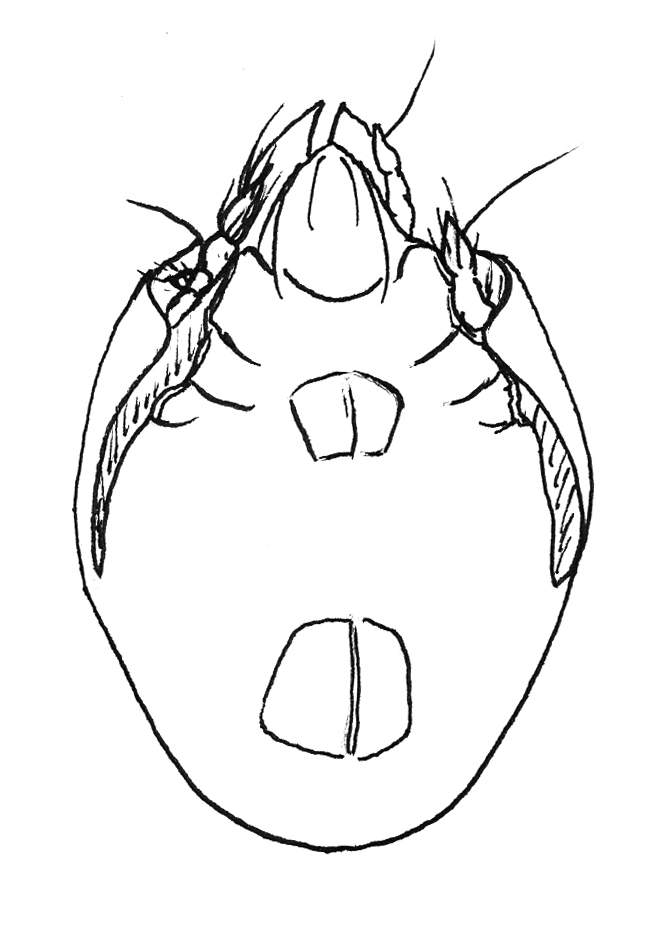
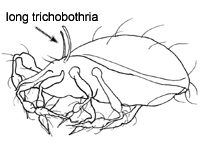
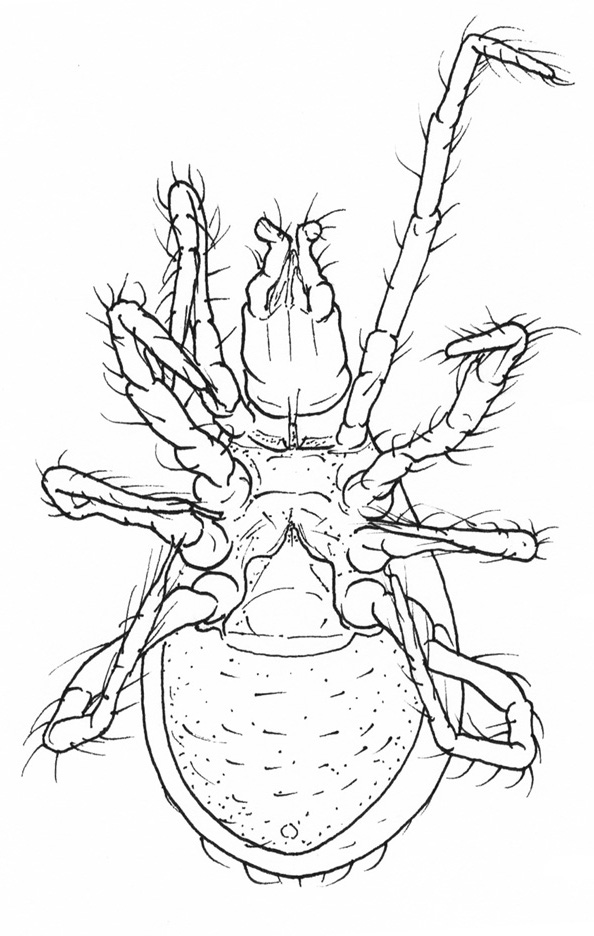
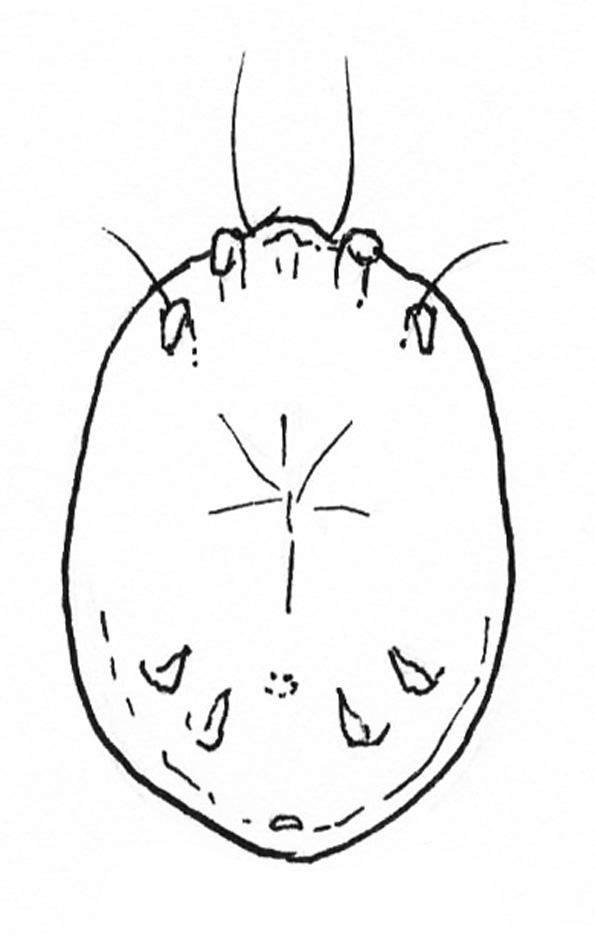
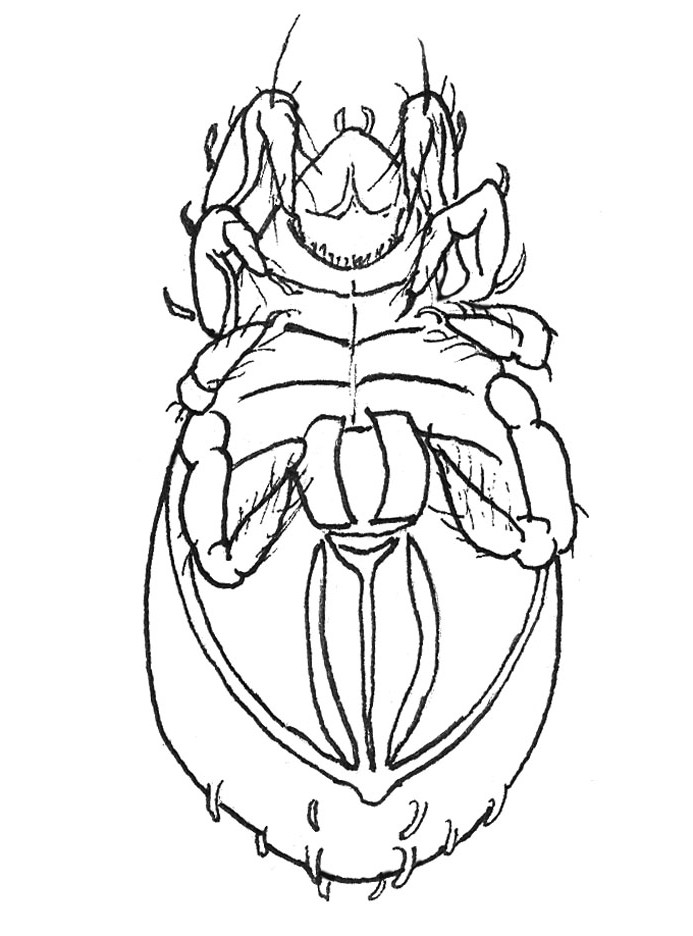
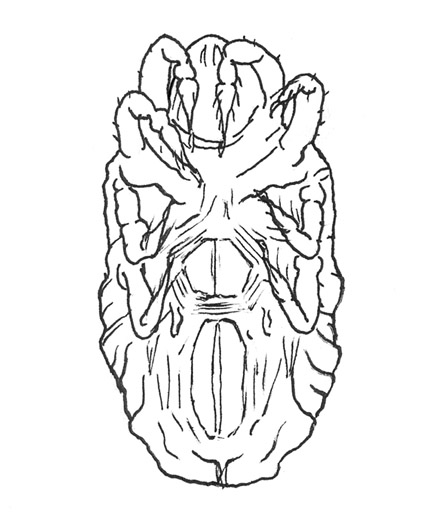
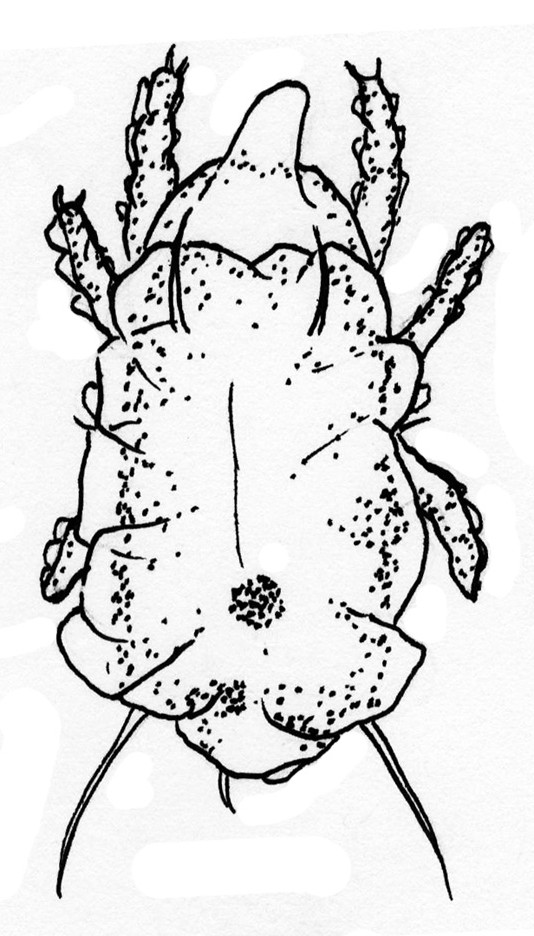
| 7a | Dark in color (yellow-orange to reddish brown). Epimeral (between the legs), genital, and anal plates visible ventrally, and trichobothria visible antero-dorsally (Fig. 6). Palps are not easily distinguished as they are small and often concealed by the body armor. Similarly, the 4 pairs of legs may be visible but may be difficult to see if they are tucked into the body armor. Specimen may be shiny or coated in a waxy substance that can collect debris | 32 (Adult Oribatids) | |
| 7b | Palps are pronounced and/or the specimen is pale without distinct genital and anal plates | 8 | |
Fig. 6. Oribatid body form showing ventral plating and trichobothria | |||
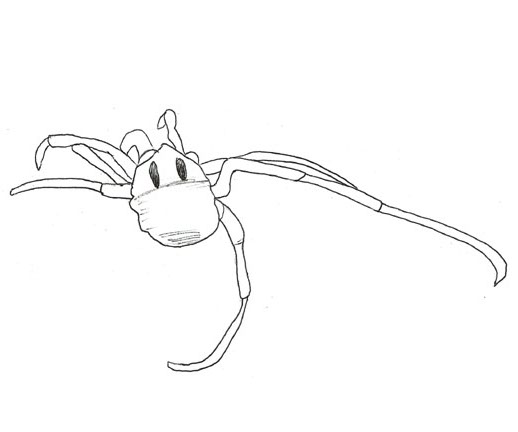
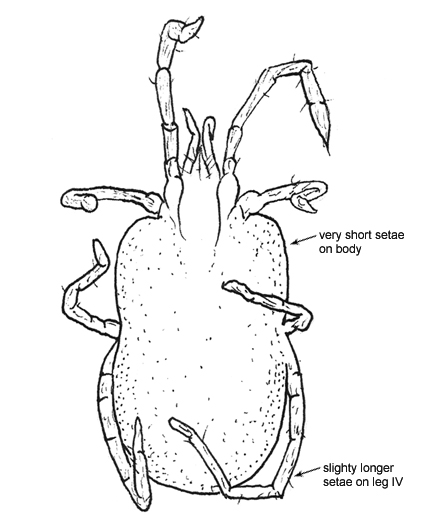
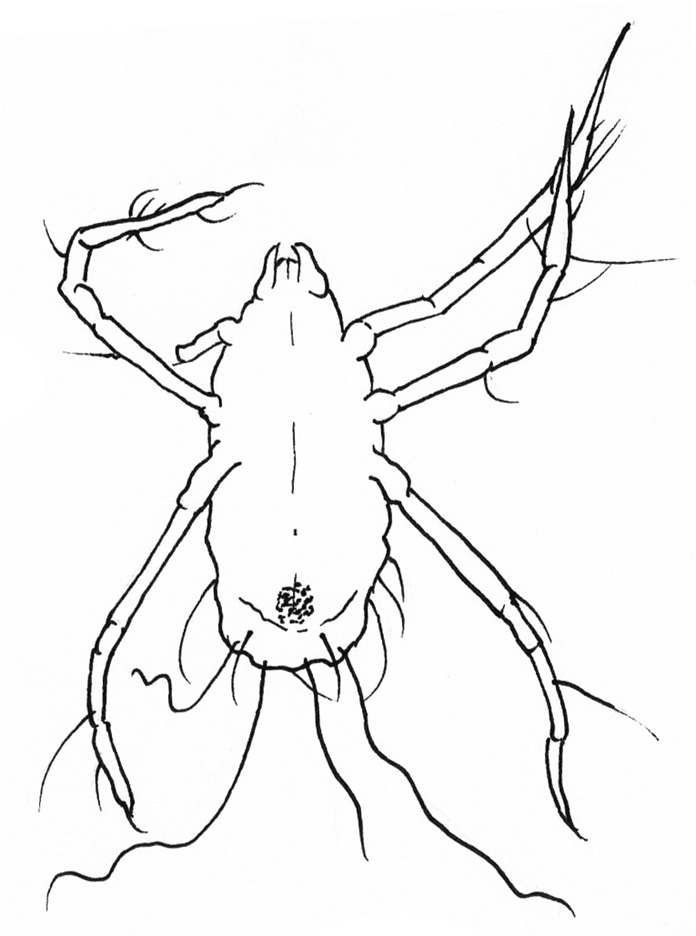
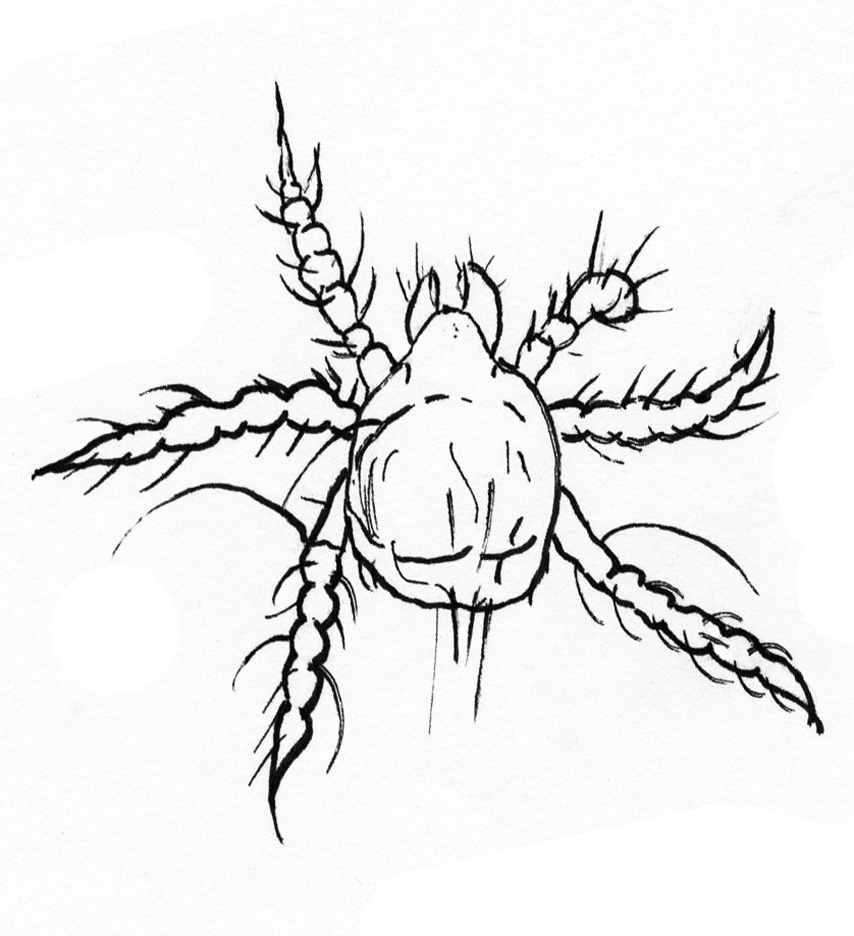
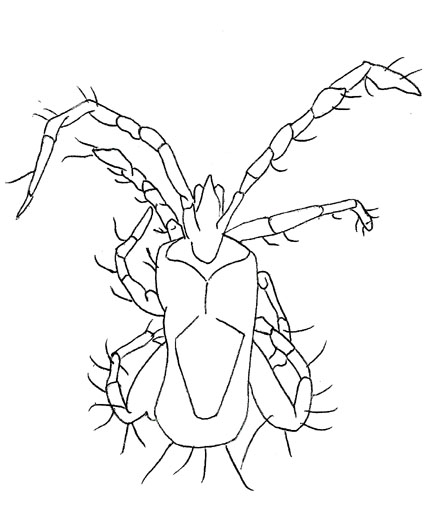
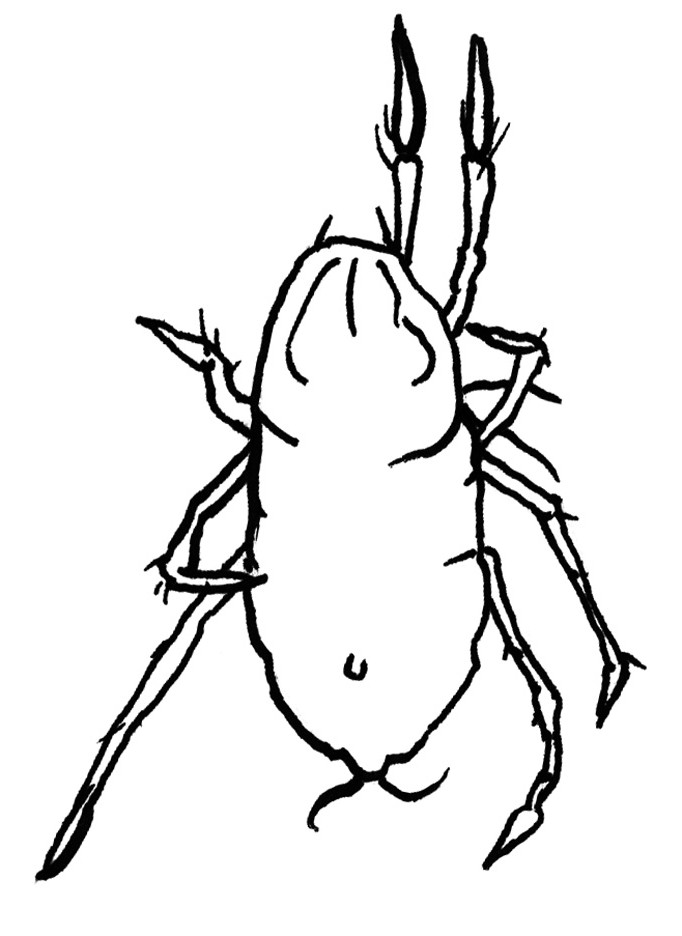
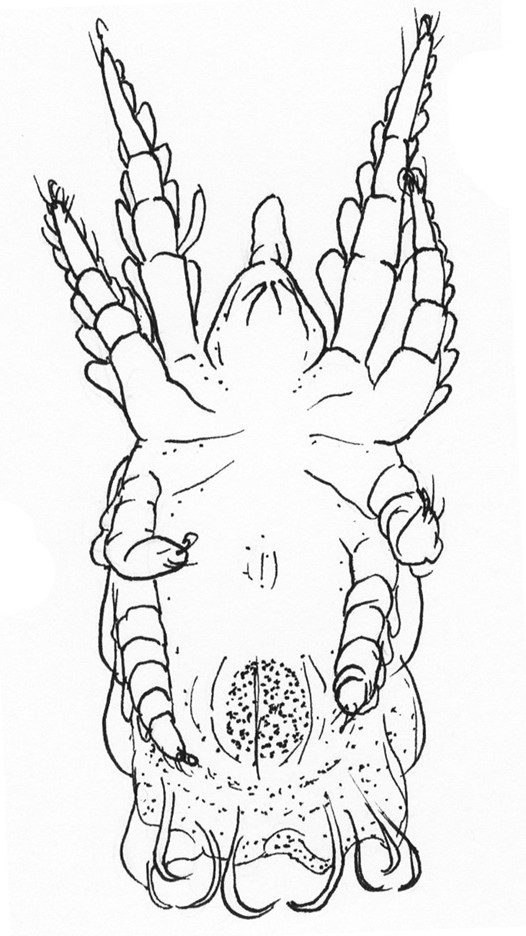
| 8a | Front legs are extremely long and/or thin as compared to the body size (Fig. 7) | Peculiar Predators | |
| 8b | Front legs are not extraordinarily long relative the other legs | 9 | |
Fig. 7. Peculiar predatory mites with unusual long and thin front legs | |||
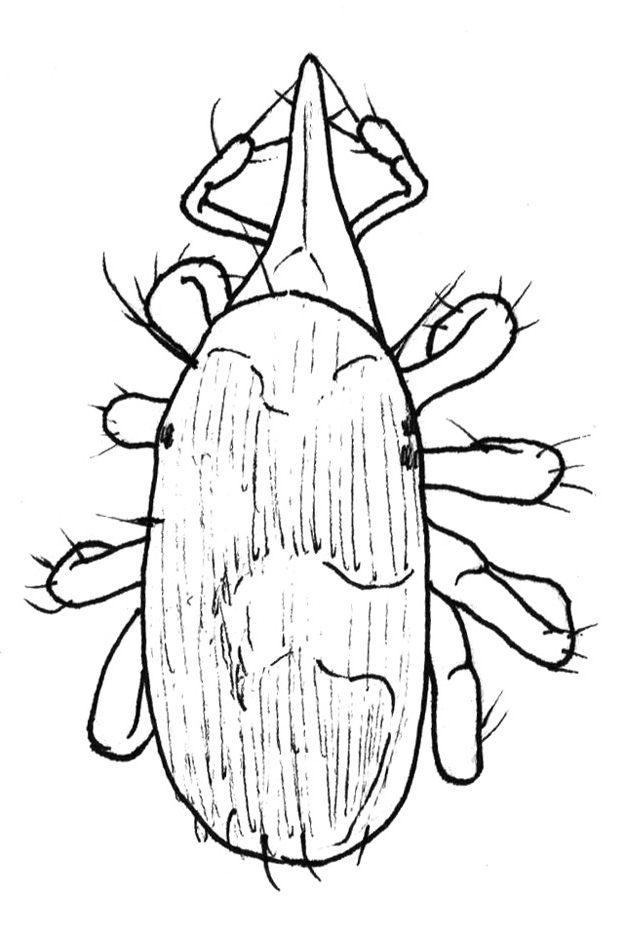
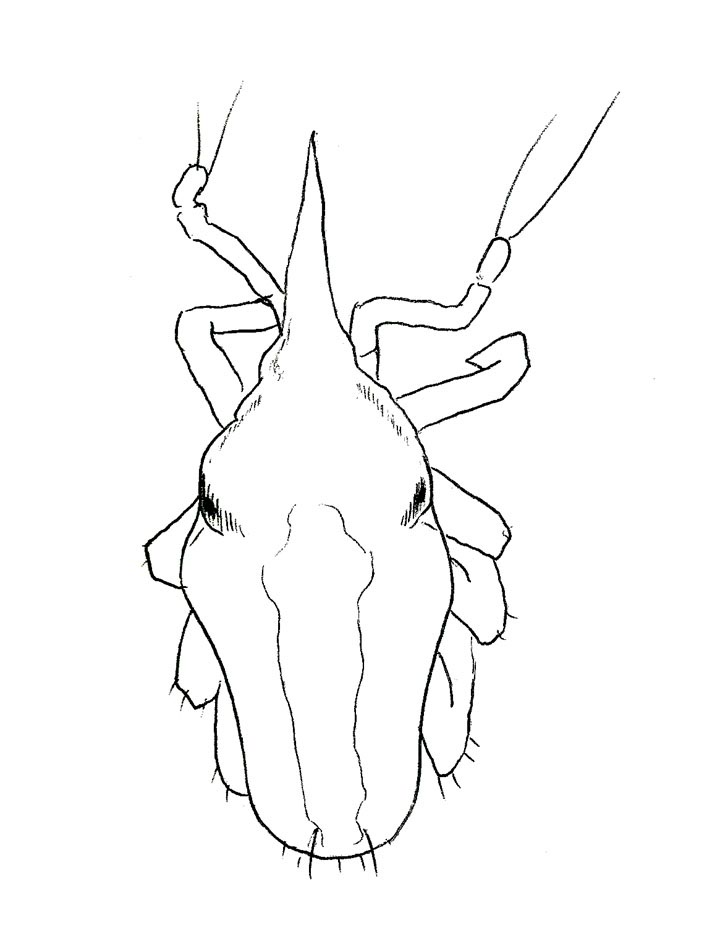
| 9a | Chelicerae come to a point, such that the specimen appears to have a pointy nose. Palps are typically elbowed such that they are directed sideways and then forwards, ending with long setae (Fig. 8) | Bdellids | |
| 9b | Palps are not elbowed and specimen may or may not appear to have a pointy nose | 10 | |
Fig. 8. Bdellid body form with pointed gnathosoma and elbowed palps terminating in long setae | |||
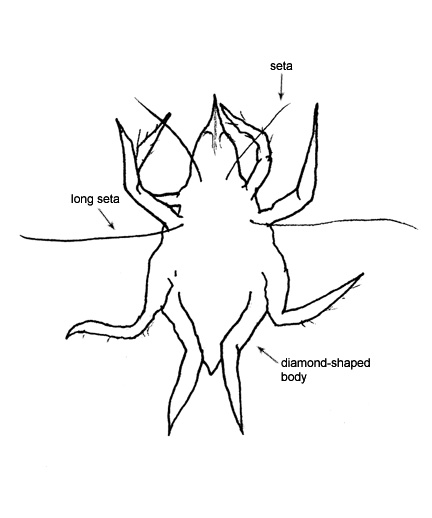
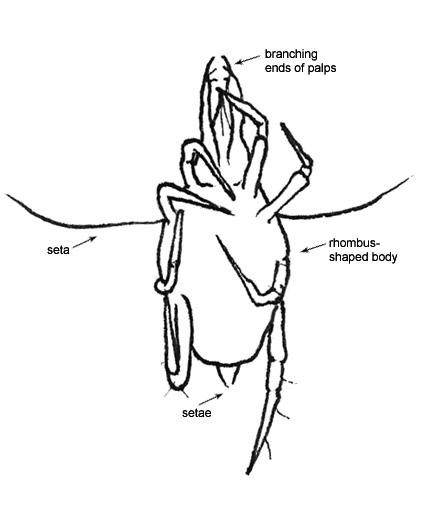
| 10a | Chelicerae and palps come to a point, palps typically terminate in claw-like structure. Body is diamond in shape with four long setae extending from the mid dorsum. Specimen is relatively small | Cunaxids | |
| 10b | Chelicerae and palps are not pointed and four long setae do not extend from a diamond shape body | 11 | |
Fig. 9. Cunaxid body form with palps and chelicerae coming to a point and rhombus shaped body | |||
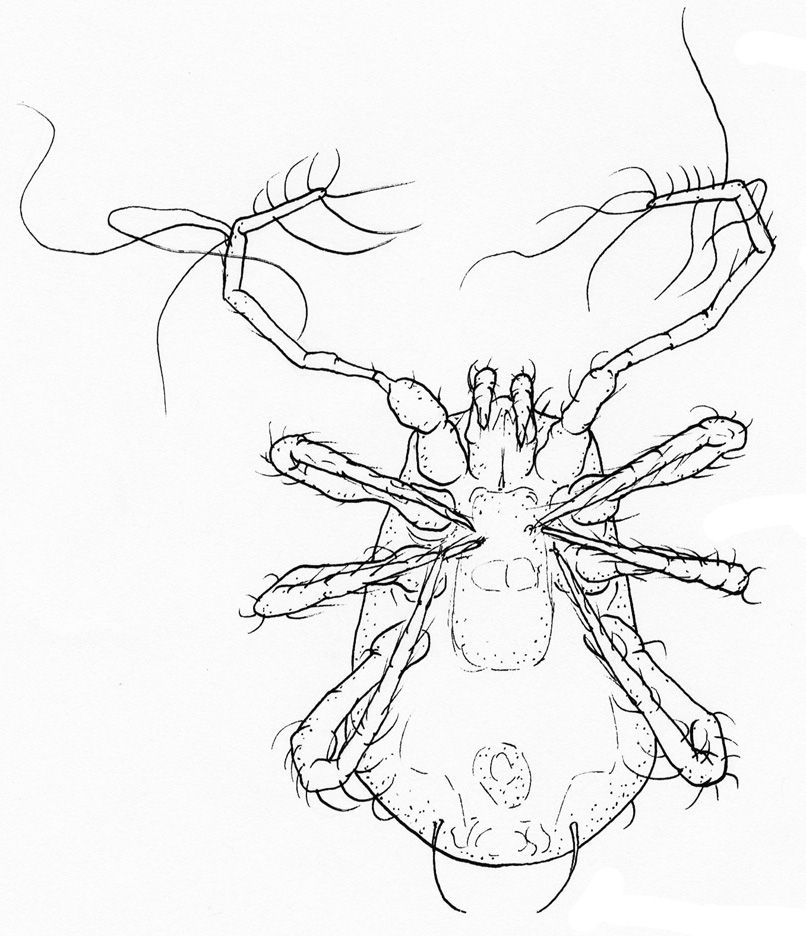
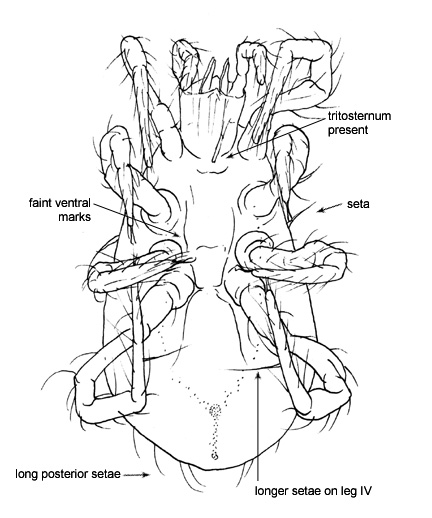
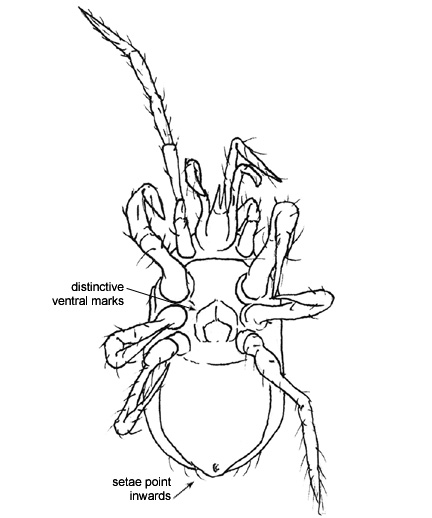
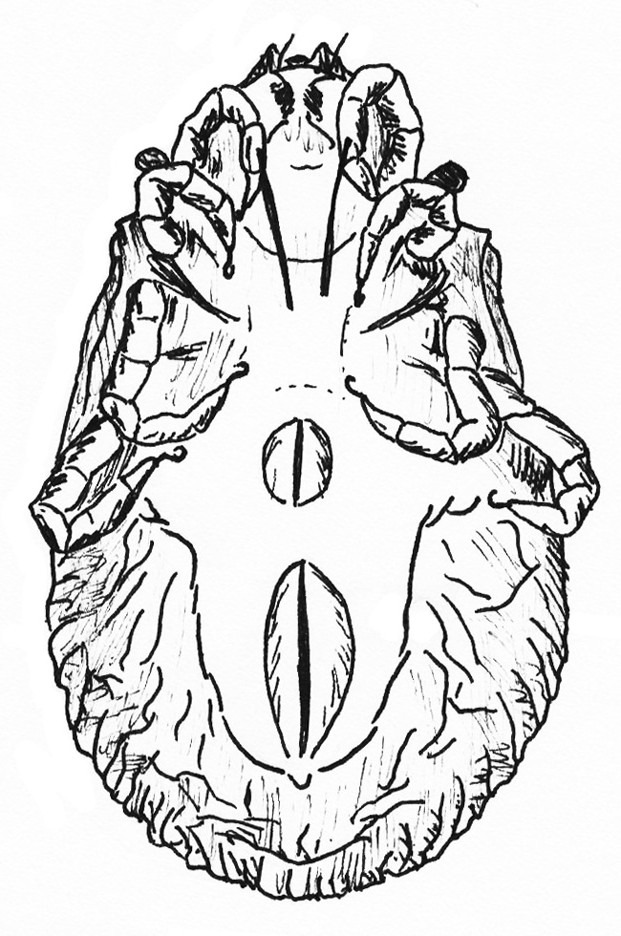
| 11a | Legs are long with many joints; the coxae are free and tarsi on legs II to IV are divided. Legs I are directed forwards. Palps are long and linear. The cheliceral bases are enclosed by a sclerotized ring. Tritosternum is typically present, although difficult to see without slide mounting (Fig.10) | 35 (Mesostigmatids) | |
| 11b | Coxae are fused to the ventral side of the body and tarsi are not divided | 12 | |
Fig. 10. Mesostigmatid body form showing free coxae, cheliceral bases enclosed by a sclerotized ring and the tritosternum | |||
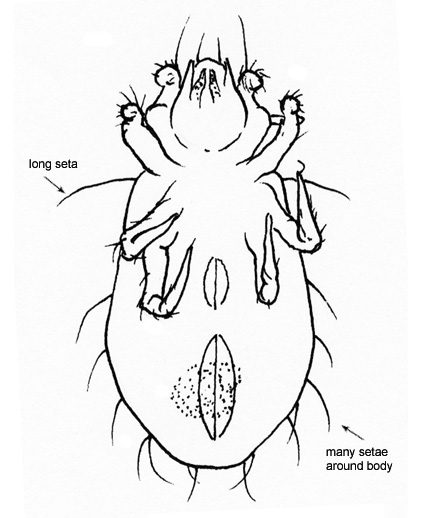
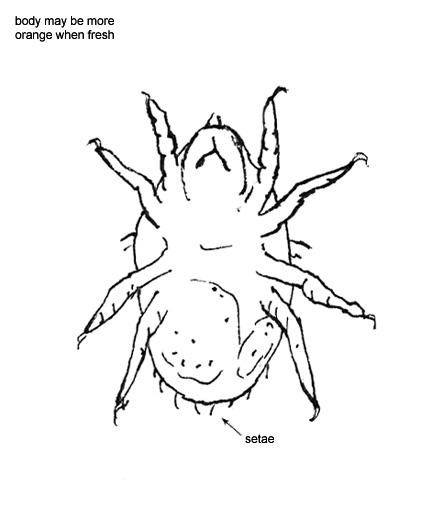
| 12a | Body is large and plump with an orange or yellow color. Short setae cover the entire body like fur. Palps are long and front legs extend forwards (Fig.11) | Peculiar Predators | |
| 12b | Body is not as described above, specimen is typically small and pale in color | 13 | |
Fig. 11. Peculiar predators with large yellow/orange body covered in short setae | |||
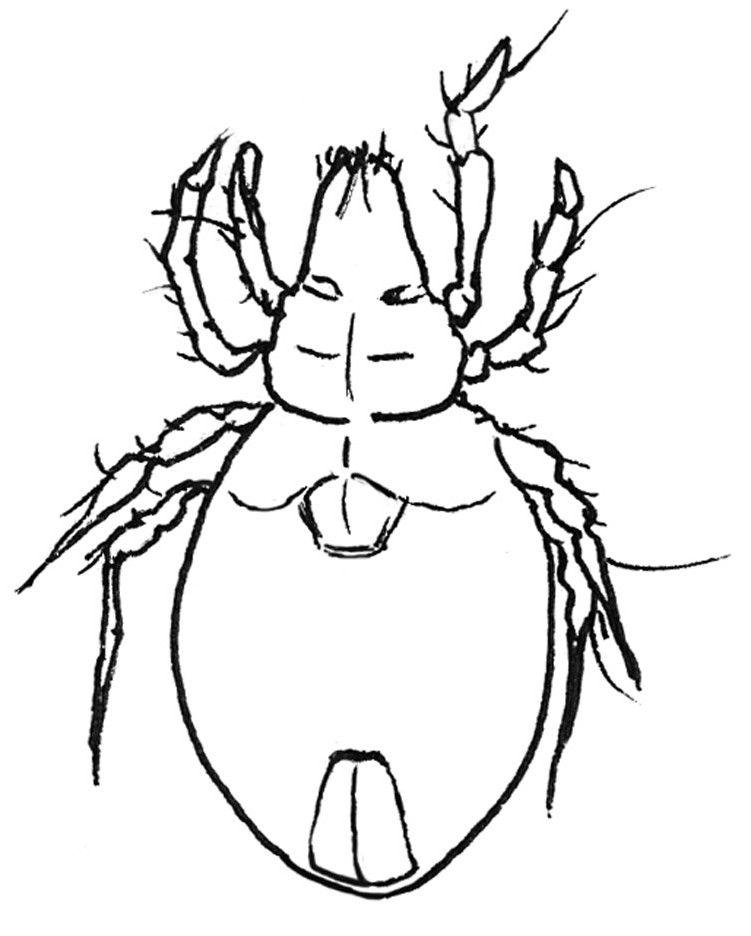
| 13a | Palps and/or chelicerae are small, withdrawn into the camerostome, or poorly developed, usually not extending past the rostrum (Fig. 12) | 14 (Oribatid-Like) | |
| 13b | Palps and/or chelicerae are prominent, extending beyond the rostrum as the anteriormost structures (Fig. 12) | 18 | |
Fig. 12. Oribatid like mite with short chelicerae and palps (left) and Prostigmatid mini mite with prominent palps and chelicerae (right) | |||
| 14a | Legs are distinct | 15 | |
| 14b | Legs are not distinct | 17 | |
| 15a | Specimen typically 300 μm or longer. Long and/or elaborate setation usually present. Body may be coated in wax which can collect debris. Anal opening faintly visible but hardened plates have not formed. Trichobothria located antero-dorsally (Fig. 16) | 41 (Juvenile Oribatids) | |
| 15b | Specimen typically smaller than 300 μm | 16 | |
Fig. 13. Juvenile oribatids | |||
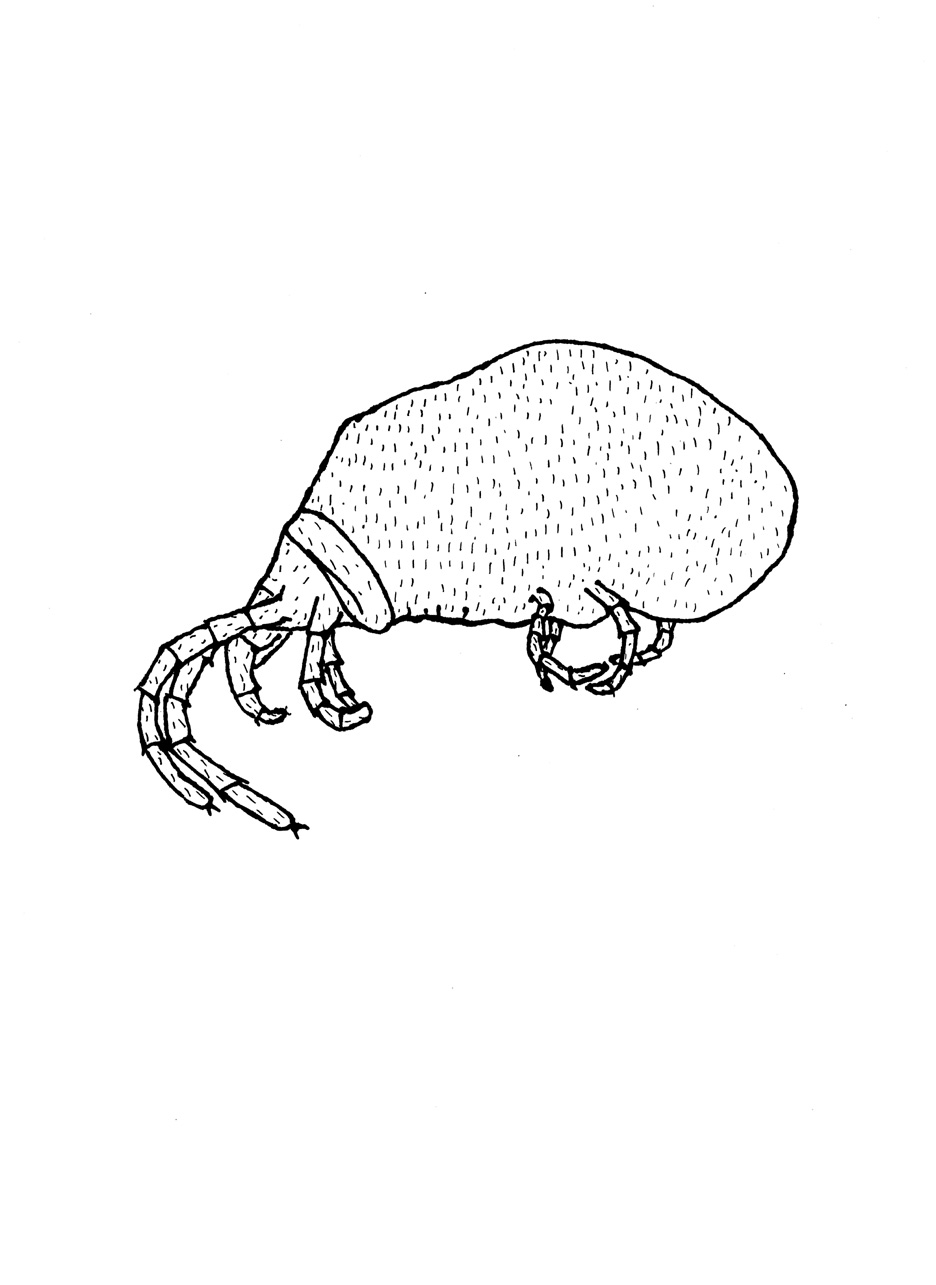
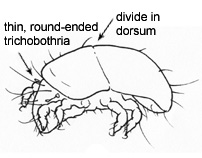
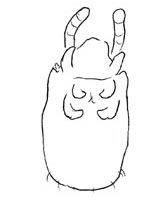
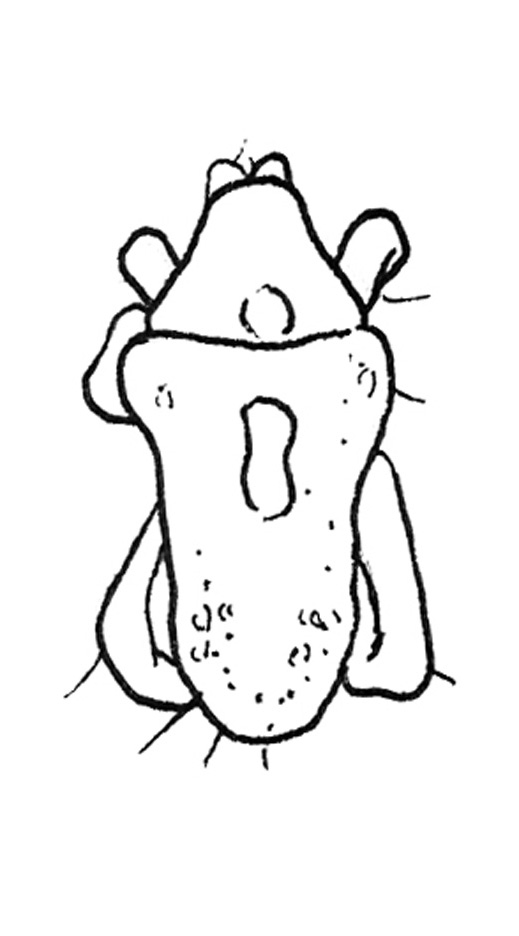
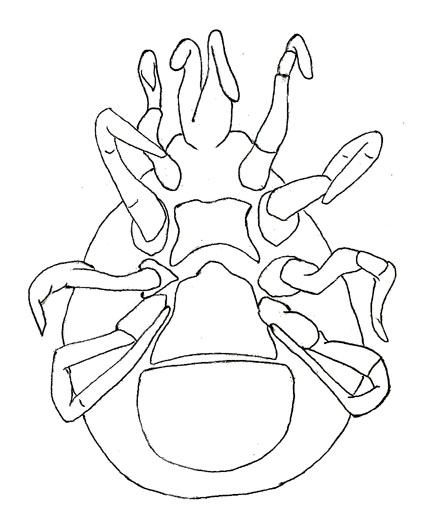
| 16a | Soft bodied mite with a divided dorsal shield and unsclerotized genital and anal plates that are subequal in size. Looks like a very small pale oribatid (Fig. 14) | Brachychthionid | |
| 16b | Globose or elongate mites with legs concentrated at the anterior end of the body (Fig. 14) | Endeostigmatid | |
Fig. 14. Body form of Brachychthionid Oribatids (Left) and Endeostigmatid Mites (Center and Right) | |||
| 17a | Flat round mites with minute, poorly developed legs (Fig. 15) | Cyst-like Mini Mites | |
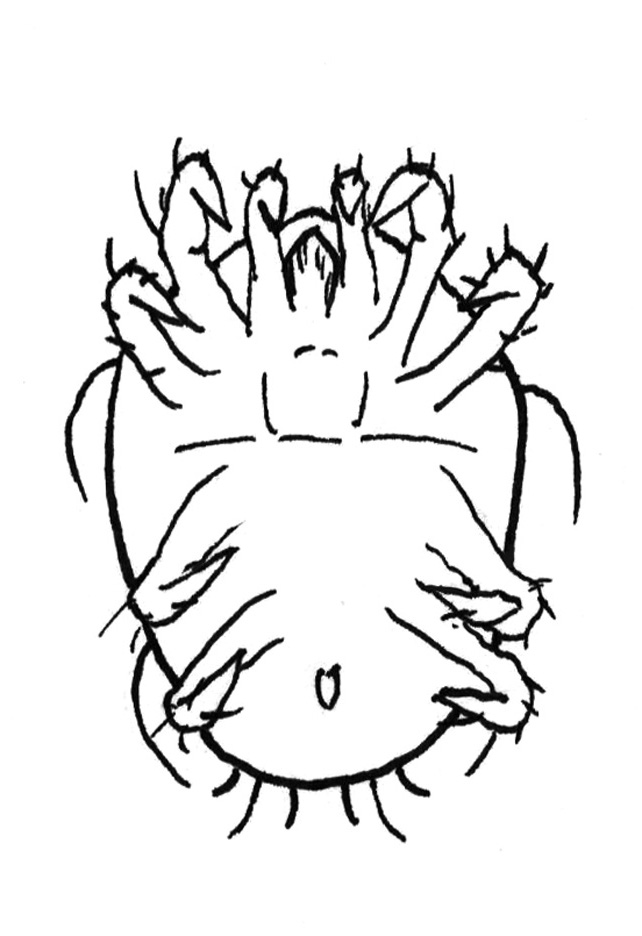
| 17b | Very small mites, typically 100-200 μm in size, with few distinguishing features (Fig. 15) | Larval Mini Mites | |
Fig. 15. Body form of Cyst-like minis and larval mini mites | |||
| 18a | Body is wide, either round or shield shaped with the length roughly equal to width. Legs are fairly equal in length and in most cases short in comparison to the body size (Fig. 16) | Wide Mini Mites | |
| 18b | Body elongate, typically longer than it is wide. Legs are long relative the body size, with legs IV typically extending beyond the posterior of the body | 19 | |
Fig. 16. Wide mini mites with length roughly equal to width and/or short legs | |||
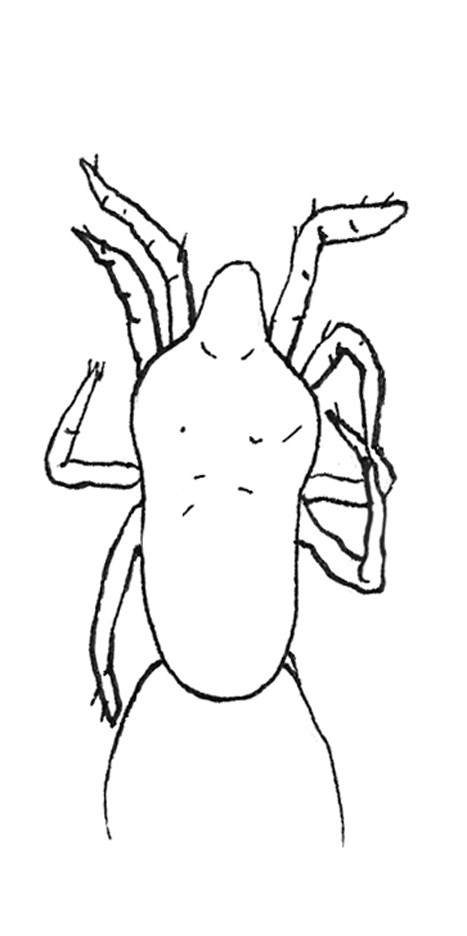
| 19a | Body size is smaller than 300 μm. In many specimens, the "shoulders" are broad and the body tapers to the posterior. (Fig. 17) | Eupodid | |
| 19b | Body size is larger than 300 μm, can range to 2 mm in length | 20 | |
Fig. 17. Eupodid-like mini mites with long legs and body that is typically broadest at the "shoulders" | |||
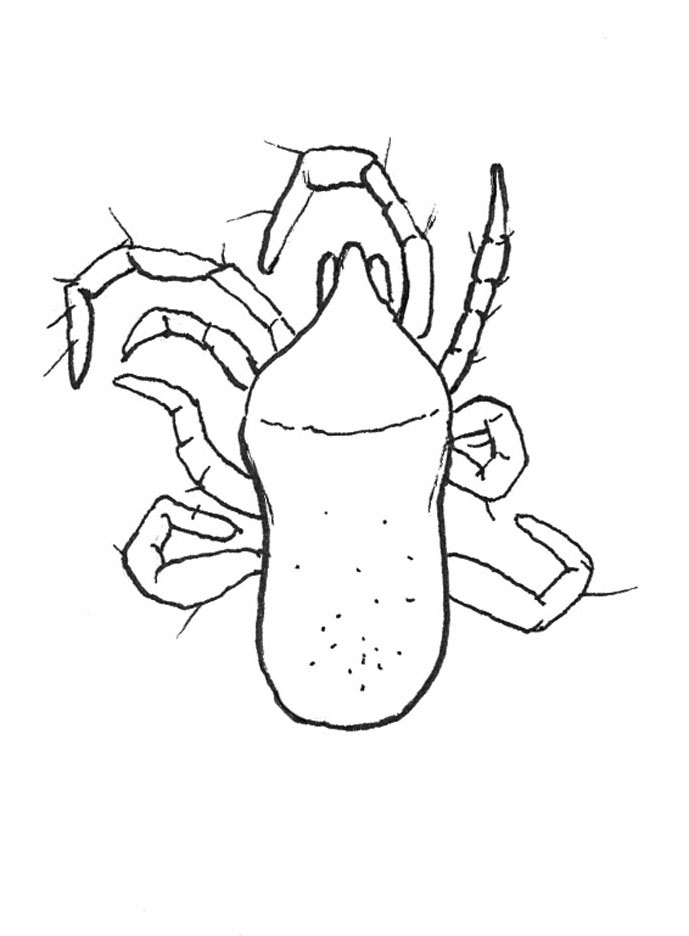
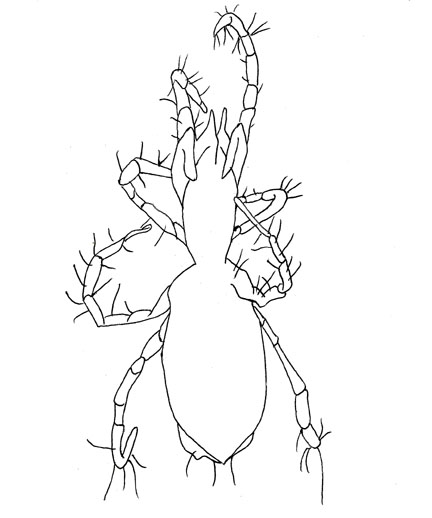
| 20a | Body is long and narrow and narrows at the "waist" between legs III and IV (Fig. 18) | Large Rhagidiids | |
| 20b | Body is rectangular or broadest at the "shoulders" | Peculiar Predators | |
Fig. 18. Large Rhagidiid mite (Left) and peculiar predator (Right) | |||
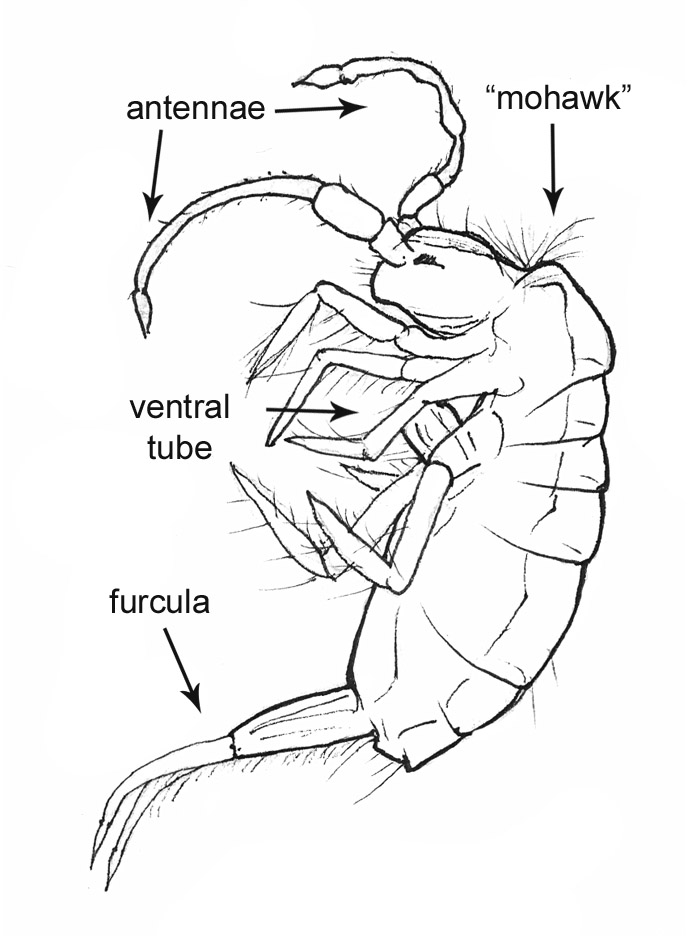
| 21a | Furcula (springtail) present but may be very small or retracted against the venter (Fig. 19). Body form may be linear or globular. No wings.... | 22 (Collembola) | |
| 21b | No furcula. Body has 3 segments (head, thorax, and abdomen). Specimen may or may not have wings | 25 (Insects) | |
Fig. 19. Different sizes of furcula | |||
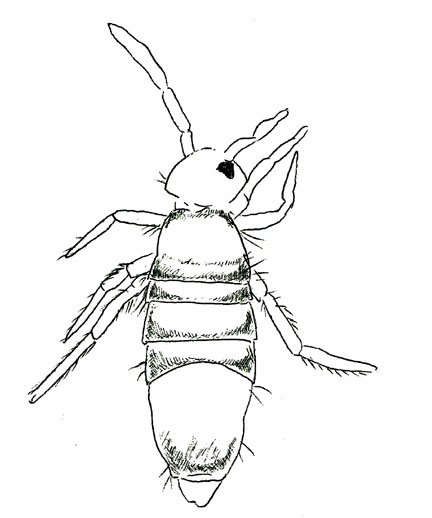
| 22a | Collembola with a linear body plan | 23 | |
| 22b | Collembola with a globular body plan | 24 | |
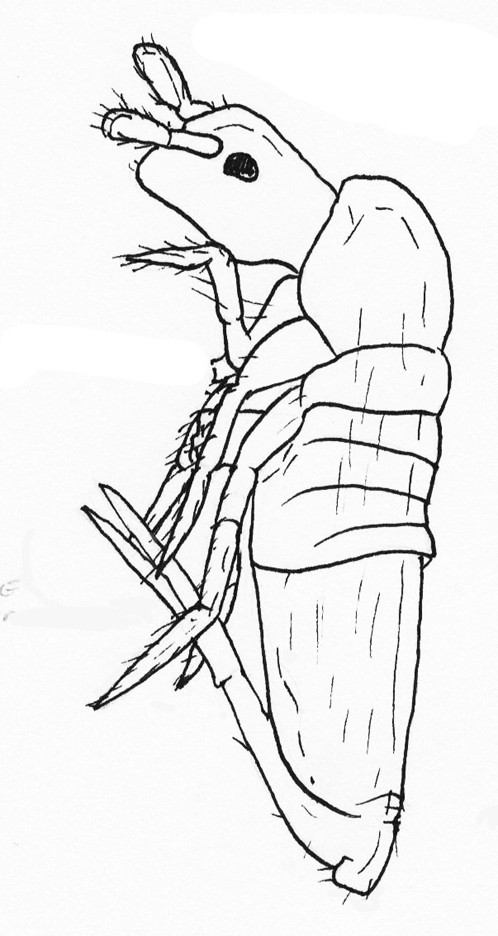
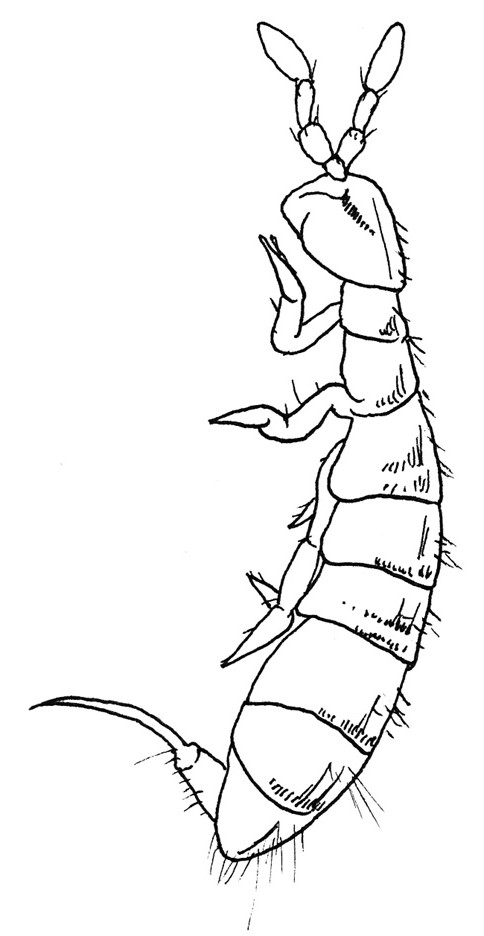
| 23a | All abdominal segments fairly equal in size (Fig. 20) | Collembola with Equal Segments | |
| 23b | One large abdominal segment (Fig. 20) | Collembola with Large Abdominal Segment | |
Fig. 20. Collembola with equal sized abdominal segments (Left) and one large abdominal segment (Right) | |||
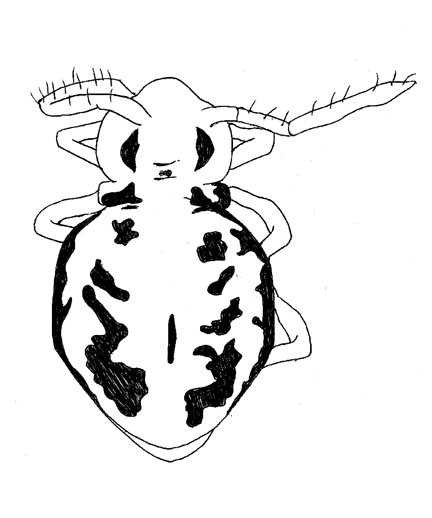
| 24a | Specimen is colorful (Fig. 21) | Colorful Globular Collembola | |
| 24b | Specimen is pale or translucent (Fig. 21) | Pale Globular Collembola | |
Fig. 21. Colorful globular collembola (Left) and pale globular collembola (Right) | |||
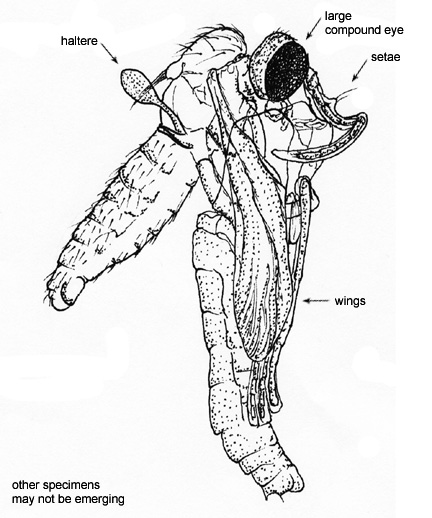
| 25a | One pair of wings and a pair of halteres (reduced wings that look like balls on a stick) (Fig. 22) | Flies | |
| 25b | Two pairs of wings (when present) | 26 | |
Fig. 22. Halteres and overall body form of a fly | |||
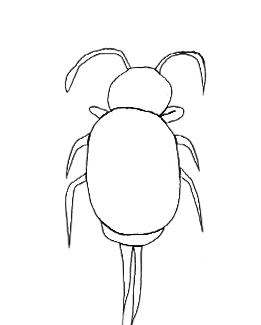
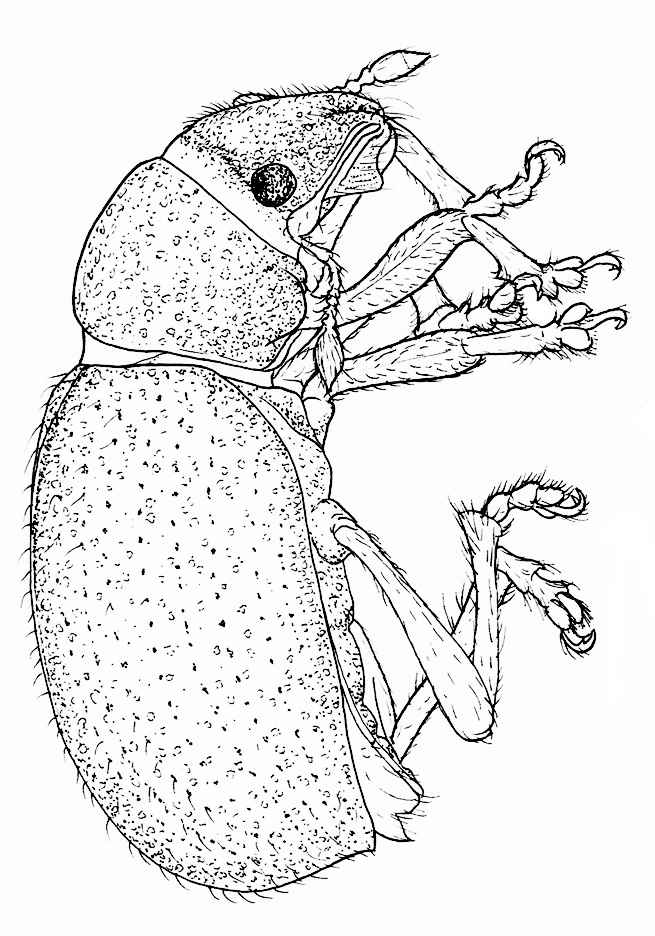
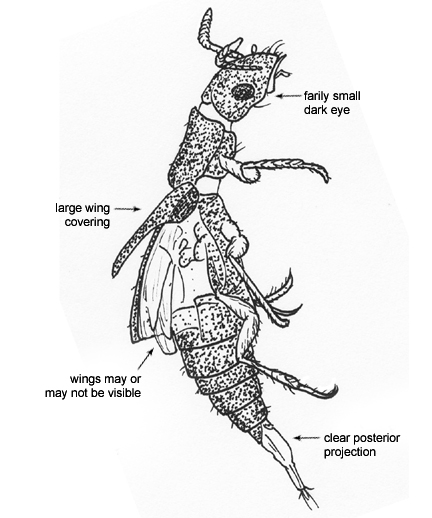
| 26a | Dark-coloured insects with a modified pair of wings forming a hard covering (elytra) over an inner, membranous pair (Fig. 23) | Beetles | |
| 26b | Elytra absent | 27 | |
Fig. 23. Body plan of a beetle and detail of elytra (hard wings) covering membranous wings | |||
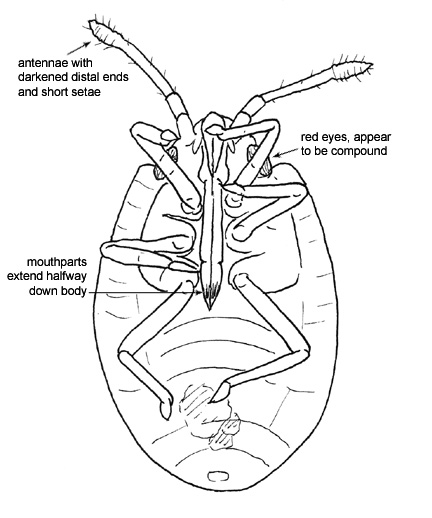
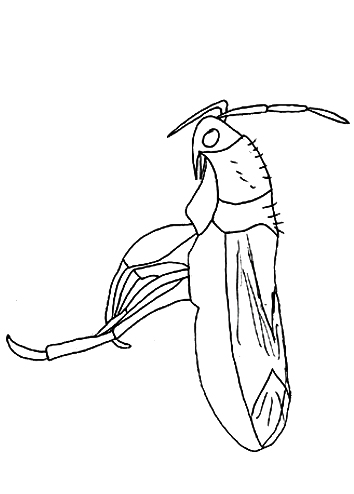
| 27a | Prominent proboscis (sucking mouthparts) and partial or fully membranous wings (if present) (Fig. 24) | True Bugs | |
| 27b | Sucking mouthparts absent | 28 | |
Fig. 24. Proboscis of a true bug and body plan showing partially membranous wings | |||
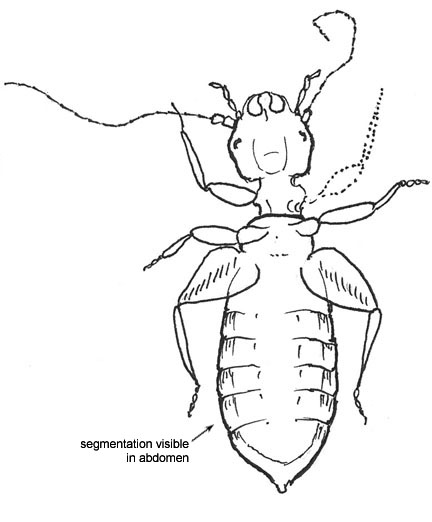
| 28a | Large head and eyes, mandibles and rod-like maxilla, wings may or may not be present (Fig. 25) | Booklice | |
| 28b | Rod-like maxilla absent | 29 | |
Fig. 25. Booklice body plan and detail of mouthparts showing rod like maxilla | |||
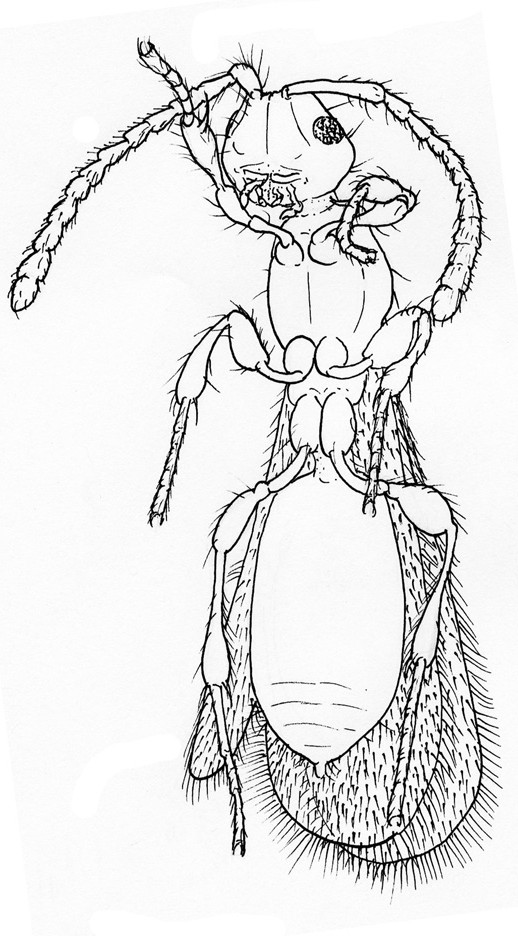
| 29a | Developed mandibles, two pairs of membranous wings (when present), and tapering in the body that makes the 3 body segments well defined (Fig. 26) | Wasps and Ants | |
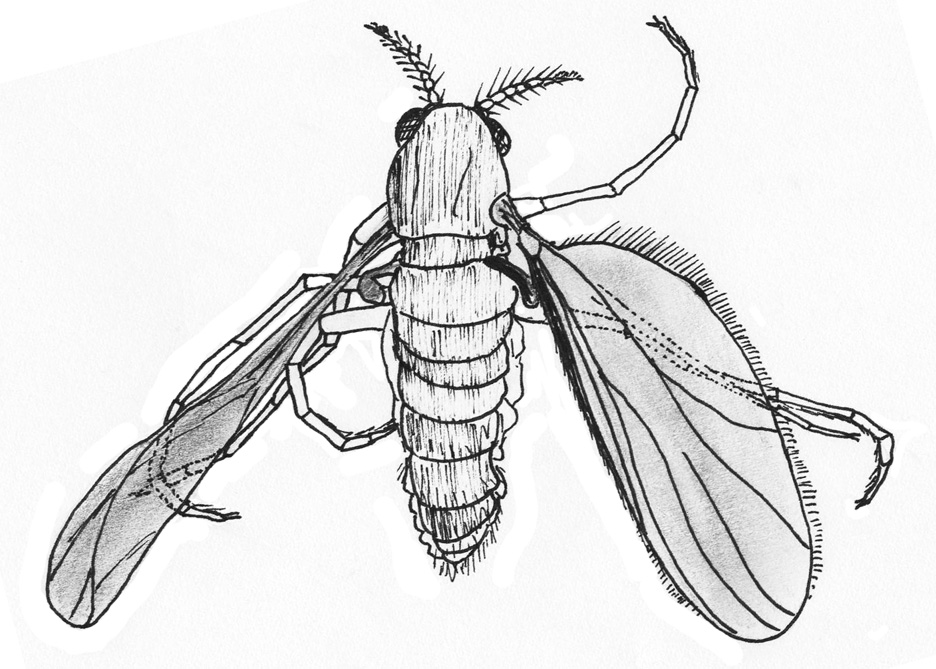
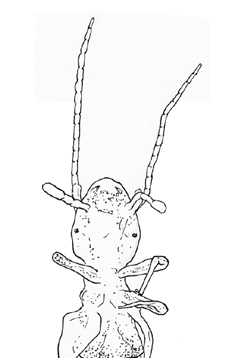
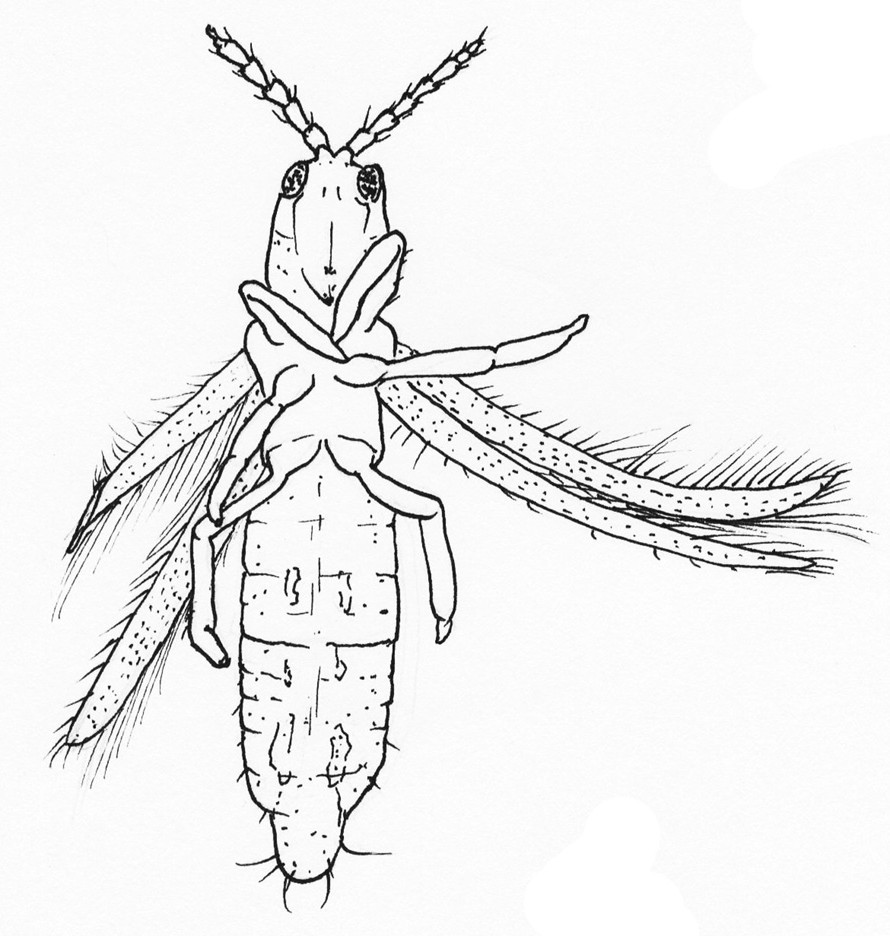
| 29b | Flat and narrow-bodied with reduced mandibles and thin feathered wings (when present) (Fig. 26) | Thrips | |
Fig. 26. Winged ant with defined body segments (Left) and thrip with feathered wings (Right) | |||
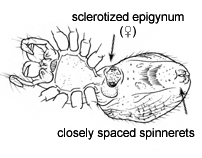
| 30a | Sclerotized epigynum on the ventral abdomen (Fig. 27) | Female Spiders | |
| 30b | Sclerotized epigynum absent | 31 | |
Fig. 27. Female spider with detail on sclerotized epigynum | |||
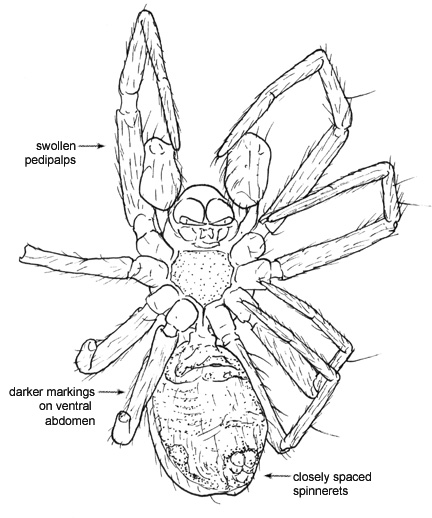
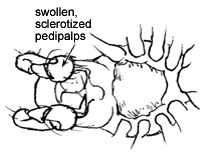
| 31a | Sclerotized swollen pedipalps (Fig. 28) | Male Spiders | |
| 31b | Immature spiders without obvious sclerotization of the exoskeleton or other sex characteristics.. | Juvenile Spiders | |
Fig. 28. Sclerotized swollen pedipalps | |||
| 32a | Oribatids with large and/or closely spaced genital plates | 33 | |
| 32b | Oribatids with anal and genital plates that are fairly equal in size with a noticeable space between them (at least the size of the genital plate) | 34 | |
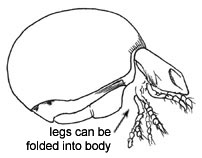
| 33a | Ptychoid body form, which allows them to retract into a ball to protect their soft parts from predators (Fig. 29) | Box Oribatids | |
| 33b | Do not have a ptychoid body form | Oribatids with Close Genital Plates | |
Fig. 29. Ptychoid oribatid (Left) and oribatid with close genital plates (Right) | |||
| 34a | Pteromorphs (projections of the dorsal shield that protect the base of the legs) (Fig. 30) | Winged Oribatids | |
| 34b | Oribatids lacking obvious pteromorphs | Hard-bodied Oribatids | |
Fig. 30. Oribatid with pteromorphs (Left) and hard-bodied oribatid without pteromorphs (Right) | |||
| 35a | Mesostigmatids with distinct ventral and/or dorsal plating and an orange to pale yellow color. Typically greater than 500 μm in body length (Fig. 31) | 36 (Adult Mesostigmatids) | |
| 35b | Mesostigmatids that are pale in color with indistinct ventral and dorsal plating. Body size ranges from less than 300 to more than 500μm | 38 (Immature Mesostigmatids) | |
Fig. 31. Mesostigmatid mites with distinct ventral plating | |||
| 36a | Distinct or prominent setation | Mesostigmatids with Distinct Setation | |
| 36b | Adult mesostigmatid without distinct setation | 37 | |
| 37a | Adult mesostigmatid with a round body shape | Round Mesostigmatids | |
| 37b | Adult mesostigmatid with an elongate body shape | Elongate Mesostigmatids | |
| 38a | 3 pairs of legs | Juvenile Mesostigmatids | |
| 38b | 4 pairs of legs | 39 | |
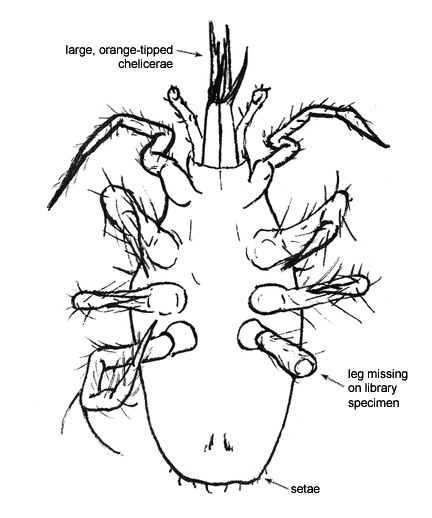
| 39a | Dark (orange or brown) chelicerae (Fig. 32) | Mesostigmatids with Orange Chelicerae | |
| 39b | Body is completely pale, lacking hardened (dark) chelicerae | 40 | |
Fig. 32. Dark chelicerae | |||
| 40a | Immature mesostigmatid that is 300 μm or smaller in length | Small Pale Mesostigmatids | |
| 40b | Immatue mesostigmatid larger than 300 μm in length | Large Pale Mesostigmatids | |
| 41a | Very long and skinny legs (Fig. 33) | Juvenile Oribatids with Long Legs | |
| 41b | Legs are not extraordinarily long | 42 | |
Fig. 33. Juvenile oribatids with long legs | |||
| 42a | Wrinkles on the exoskeleton (Fig. 34) | Plicate Juvenile Oribatids | |
| 42b | No wrinkles on the exoskeleton | 43 | |
Fig. 34. Plicate juvenile oribatids | |||
| 43a | Elaborate or distinct setation | Juvenile Oribatids with Distinct Setation | |
| 43b | Lacking elaborate or distinct setation | 44 | |
| 44a | Rectangular body shape. These mites also tend to have a waxy appearance (Fig. 35) | Rectangular Juvenile Oribatids | |
| 44b | Round or oval body shape | 45 | |
Fig. 35. Juvenile oribatids with a rectangular body shape | |||
| 45a | Round body shape and few other obvious features for identification | Round Juvenile Oribatids | |
| 45b | Elongate body and few other obvious features for identification | Elongate Juvenile Oribatids | |